Ways to Use the Instagram Ad Library for Creative Inspiration
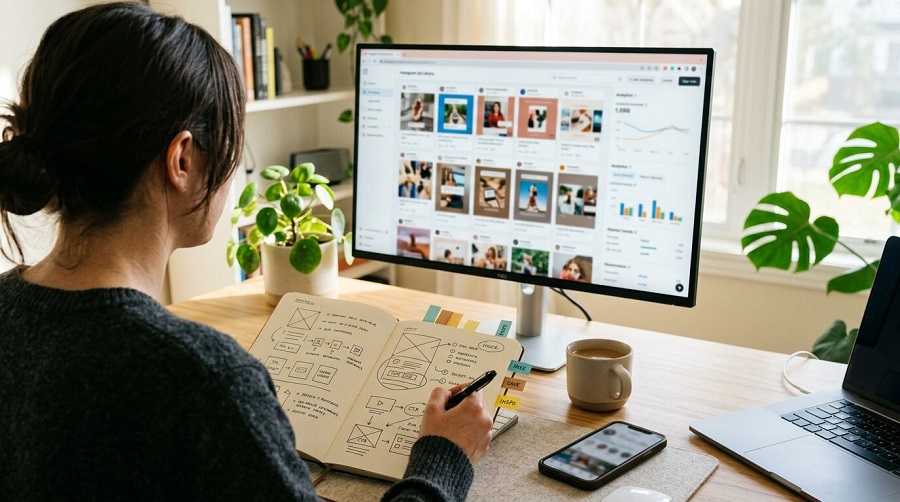
You can treat the Instagram Ad Library like a live focus group for your niche, instead of guessing what might work. Filter by country, placement, and keywords to see how top brands pitch similar products. Then, start saving the ads that keep showing up and note what they have in common: hooks, visuals, and calls to action. Once you see those patterns, you can turn them into structured experiments, but that’s only the first step.
Get Started With the Instagram Ad Library
Getting meaningful insights from the ad library starts with more than just clicking through filters. It’s about knowing what to look for and how it applies to your market. When you’re working with a team that understands your local audience, trends, and buying behavior, the tool becomes far more powerful. They can interpret patterns that aren’t obvious at first glance, like why certain creatives resonate in one region but fall flat in another, or how cultural nuances shape engagement.
Once inside the platform, you can refine your search by country, switch to “All Ads,” and narrow results specifically to Instagram placements. This gives you a clearer view of what brands are actively testing and scaling. Pay close attention to ads that have been running for longer periods. These often signal consistent performance. Look at how messaging, visuals, and calls to action evolve across variations, then consider how those elements might translate to your own campaigns within your specific market context.
A strong example of this in practice is using Instagram library ads to analyze competitors in your niche while factoring in local preferences. Instead of copying what works globally, you’re adapting proven concepts through a lens that fits your audience, something that becomes much easier when guided by experts who are already familiar with your region’s digital landscape.
Build an Instagram Ad Swipe File That Works
Once you're familiar with the Instagram Ad Library interface, you can convert your research into a structured swipe file. Begin by filtering for the relevant country, then select “Instagram” as the placement. Prioritize saving ads that appear repeatedly and have long-running start dates, as these are more likely to be effective.
Organize the collected ads into folders by campaign objective (awareness, consideration, conversion), format (Reels, carousel, static), and hook type (for example, question, testimonial, or offer). For each entry, note the launch date, primary call-to-action (CTA), and an inferred audience segment based on language, localization, and any clearly identifiable targeting cues in the creative or copy.
Aim to capture 3–5 variations for each strong concept to observe small iterative changes in messaging, visuals, or CTAs. Review the swipe file monthly to remove one-off or short-lived promotions, label seasonal campaigns, and identify recurring visual or messaging patterns that may indicate reliable best practices.
Spot Winning Creative Patterns in Your Niche
Use the Instagram Ad Library as a practical reference for what's currently performing in your niche. Filter by country and date range, then identify ads that have been active for 30 days or more. This duration often indicates that the advertiser considers the creative effective enough to keep running. Save these examples in a swipe file for later review.
Then, look for recurring patterns. Assess whether the most persistent ads are primarily short-form video, testimonials, carousels, or before-and-after visuals. Examine visual elements such as color schemes, text overlays, and aspect ratios to identify formats that are consistently used. Finally, record which calls to action (e.g., “Shop Now,” “Learn More,” “Book Today”) appear most frequently so you can align your own creatives with the likely funnel stage and intent those CTAs represent.
Break Down Hooks and Headlines From Top Ads
Use the Instagram Ad Library to systematically review hooks and headlines used by leading advertisers. Start by filtering for top spenders in your niche and examining the opening lines they use repeatedly, such as “Tired of…?” or “Meet the only…”. Apply the date filter to identify long-running ads and record their first 1–3 words to understand which types of questions, data points, or urgency-focused phrases appear most frequently.
Compare hooks across different formats, such as Reels and image-based ads. Reels often use shorter, more direct teasers, while carousel or static image ads may feature longer, more descriptive headlines. Search by relevant keywords, count the occurrence of specific power words or phrases, and document multiple headline variations. Track which versions remain active over time, as this can indicate which hooks perform reliably enough for advertisers to continue investing in them.
Borrow Layout, Pacing, and Formats That Perform
Scan the Instagram Ad Library for structures that have shown sustained performance, rather than for isolated creative ideas. Prioritize long-running ads. Their consistent use of an intro hook followed by a 15–30 second product demonstration suggests a layout that can be reliably adapted.
Use filters to compare media types and identify whether short Reels, single videos, or carousels appear more frequently in your niche. Record recurring formats, such as three-frame problem → solution → call-to-action (CTA) carousels or vertical “hero” product shots at the start, and store them in a swipe file for reference.
Examine pacing in detail: cuts of 1–3 seconds to capture attention, 8–12 seconds for core explanation or demonstration, and 3–5 seconds for the CTA. Align framing, duration, and editing speed with the requirements and user behavior of each placement, including Stories, Reels, and feed ads.
Turn Ad Library Insights Into Testable Instagram Ads
Once you identify layouts, pacing, and formats that appear frequently in the Instagram Ad Library, translate those observations into structured tests rather than replicating ads directly. Save recurring ads, record their start dates, and use consistently long-running creatives as control variants in A/B tests.
Break down each ad into components such as hooks, headlines, and calls to action (CTAs). Test ad pairs by changing only one element at a time to isolate its impact. Run split tests comparing short Reels against square feed videos to determine which format drives better performance metrics, such as click-through rate or cost per result.
Recreate effective visual structures in at least two versions, for example, one animated and one static, and compare their cost per click (CPC) and engagement. In addition, align some campaigns with competitors’ observed seasonal patterns (e.g., promotions around holidays or major events) and compare their performance against your always-on or evergreen creatives to assess whether timing contributes to improved results.
Conclusion
When you treat the Instagram Ad Library like a research lab instead of a browse-and-forget feed, you’ll never stare at a blank canvas again. Use it to stock a tight swipe file, reverse‑engineer patterns, and borrow proven hooks, layouts, and formats. Then turn those insights into focused tests, not random guesses. Over time, you’ll build a creative system that consistently launches sharper, higher‑performing Instagram ads with far less effort.